
All setup guides
Walkthrough
Wix, step by step
Add the Zorren snippet to your Wix site so every enquiry lands on your list. Follow the annotated steps below, each one shows exactly where to click.
First, open your Wix dashboard and go to your site editor.
Follow the steps in order. Click any screenshot to see it full size.
- 1
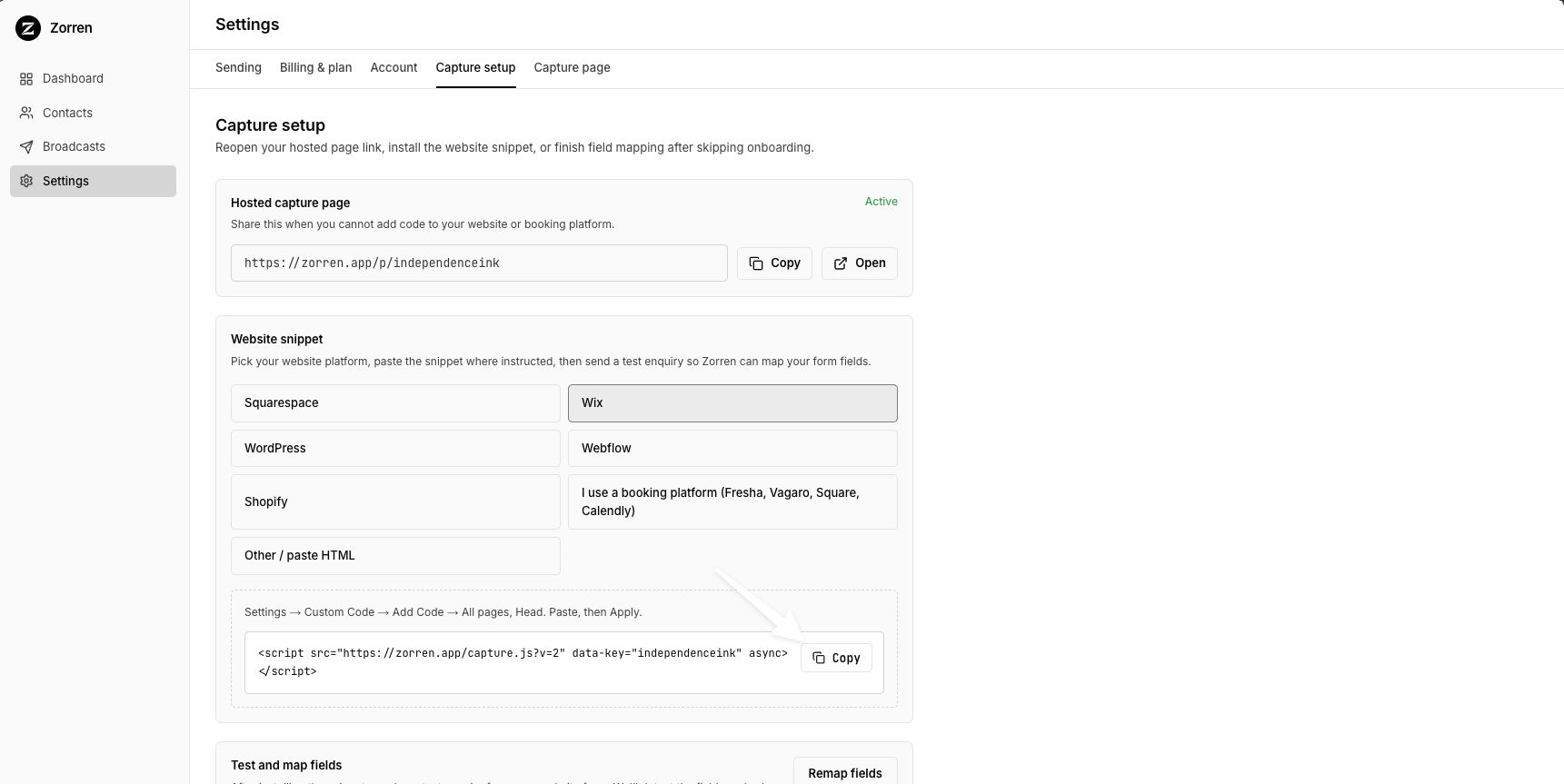
Copy your Zorren snippet using the Copy button in the code box.
- 2
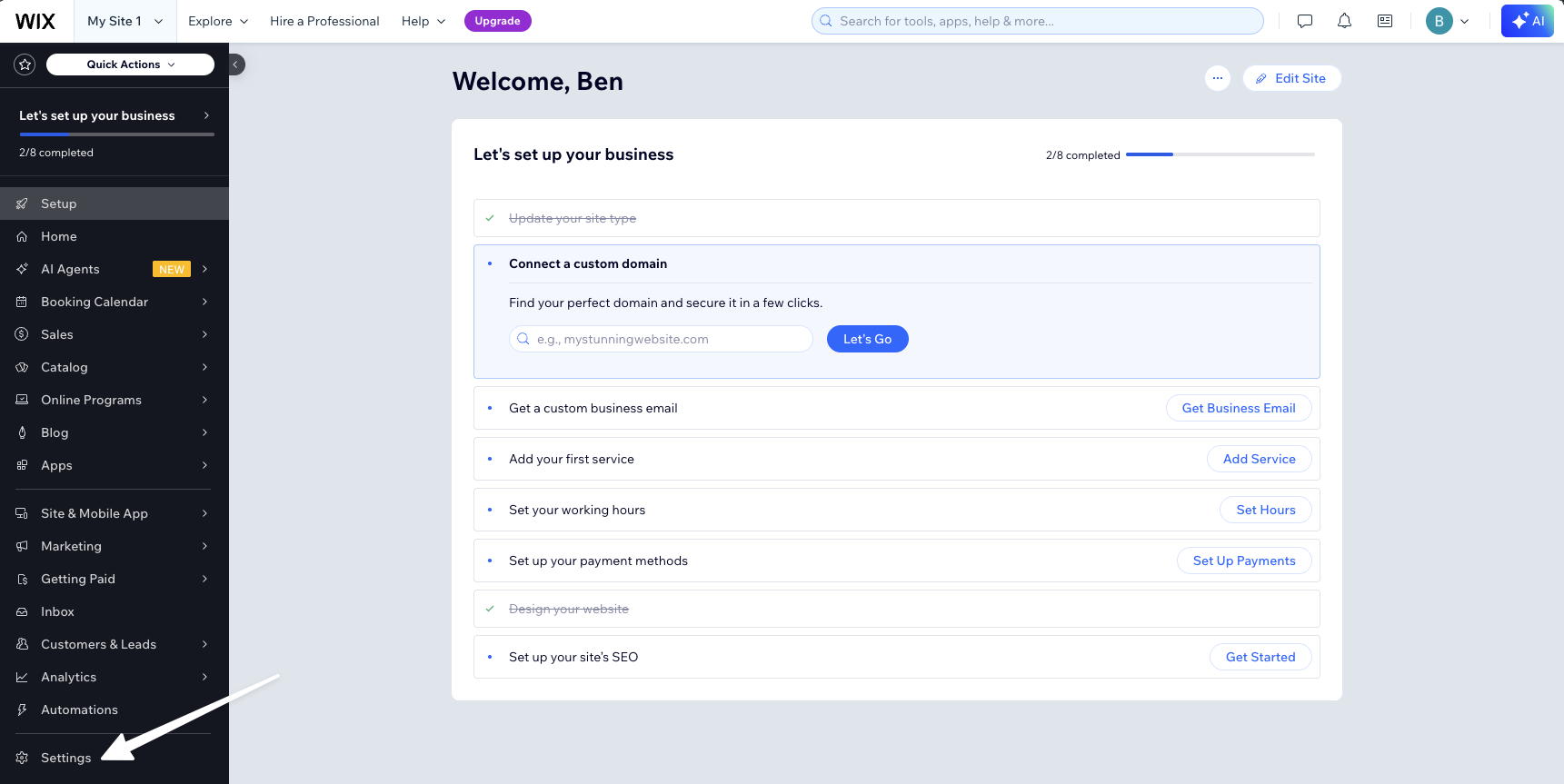
Open Settings from the left sidebar of your Wix dashboard.
- 3
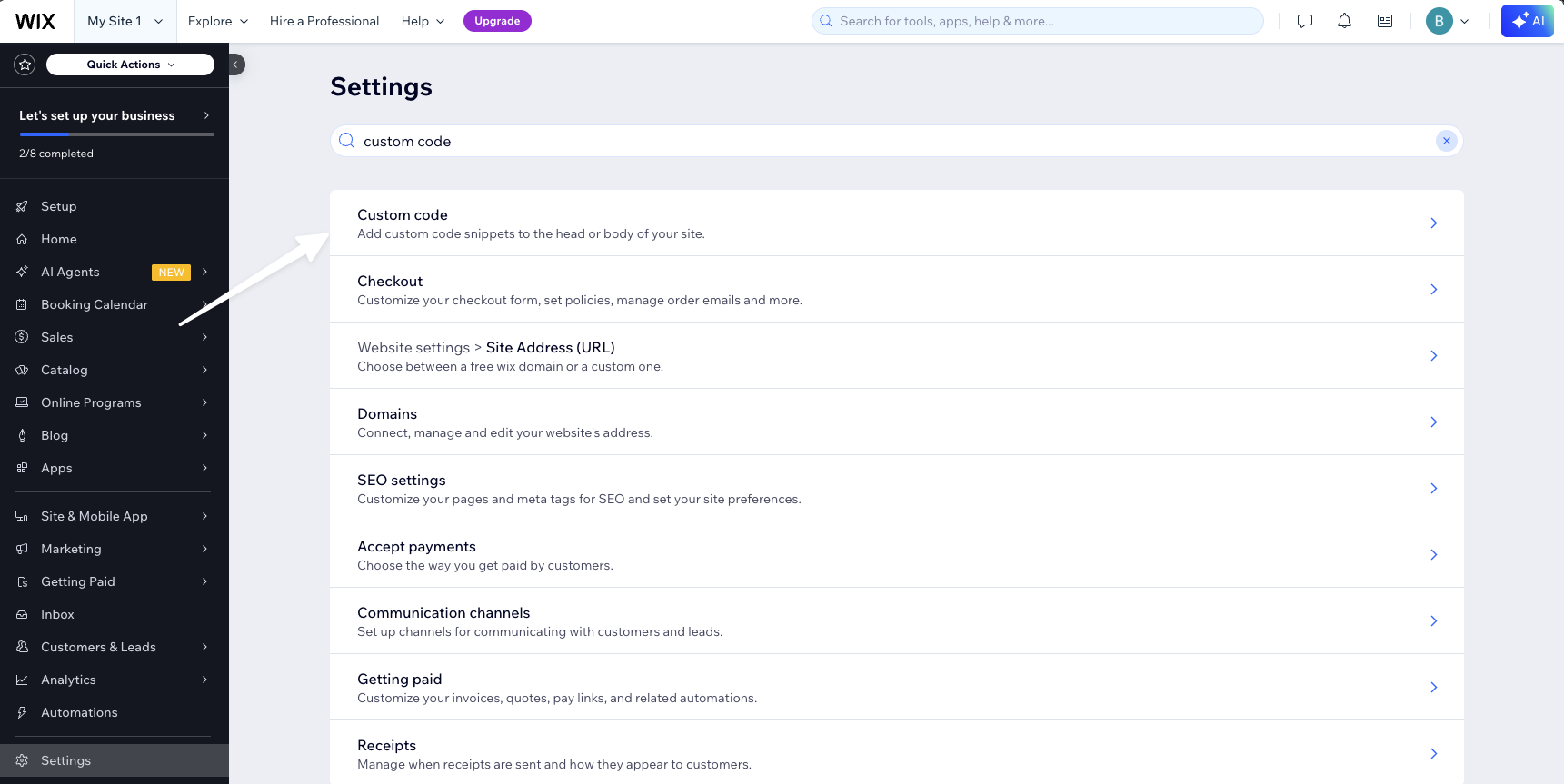
Search "custom code" and open Custom code.
- 4
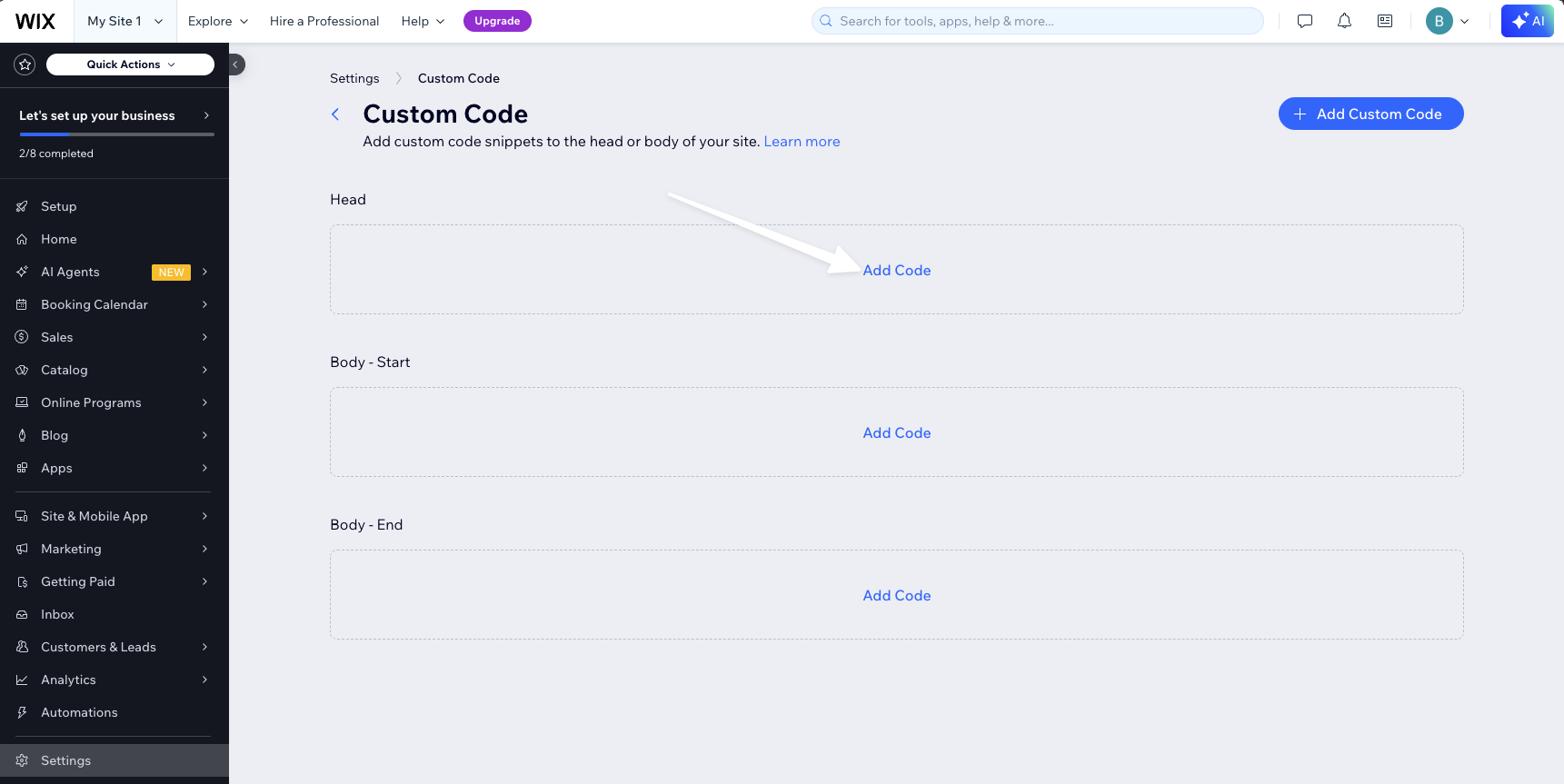
Under the Head section, click Add Code.
- 5
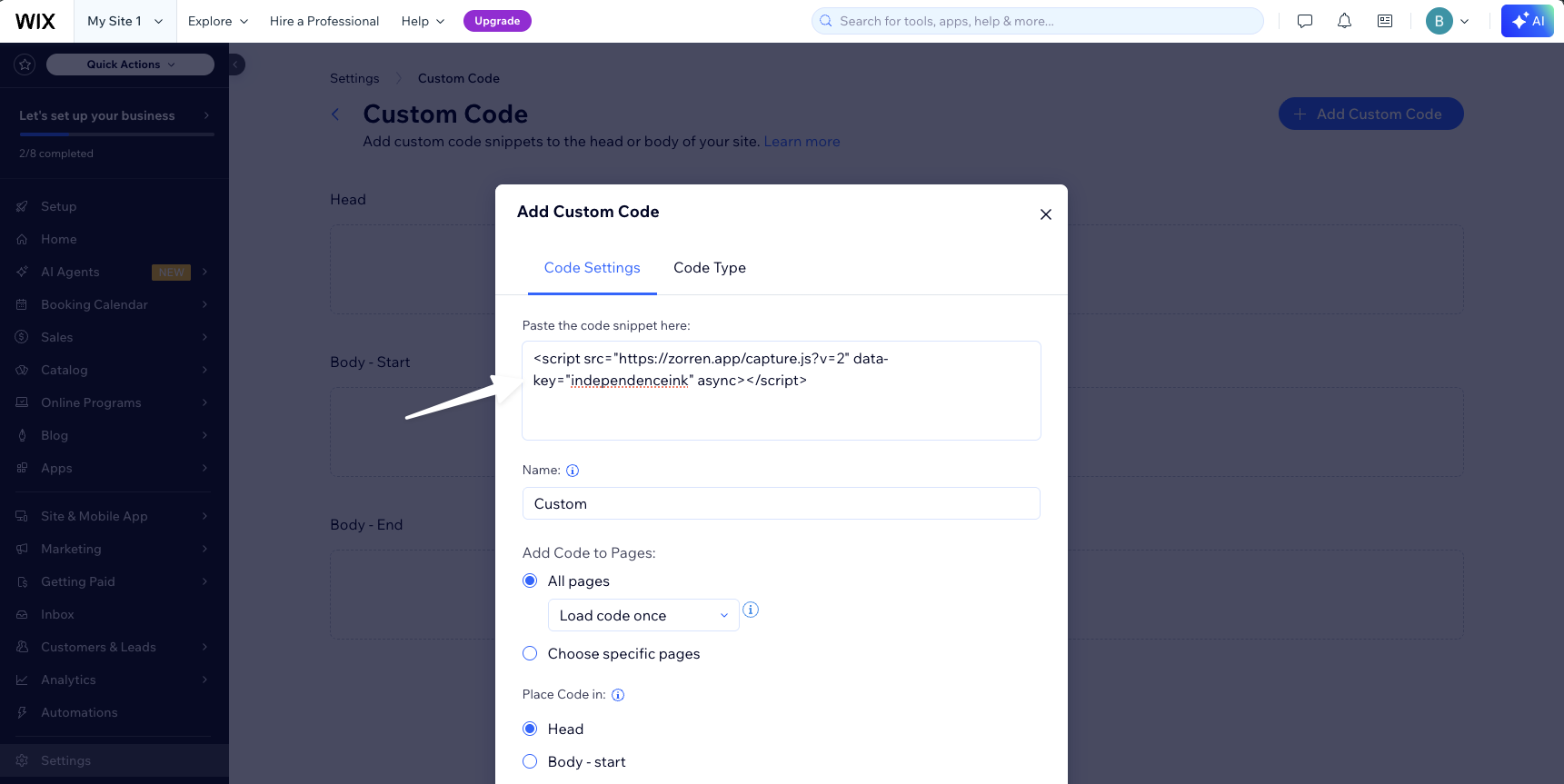
Paste the snippet, keep All pages and Load code once, then set Place Code in to Head.
- 6
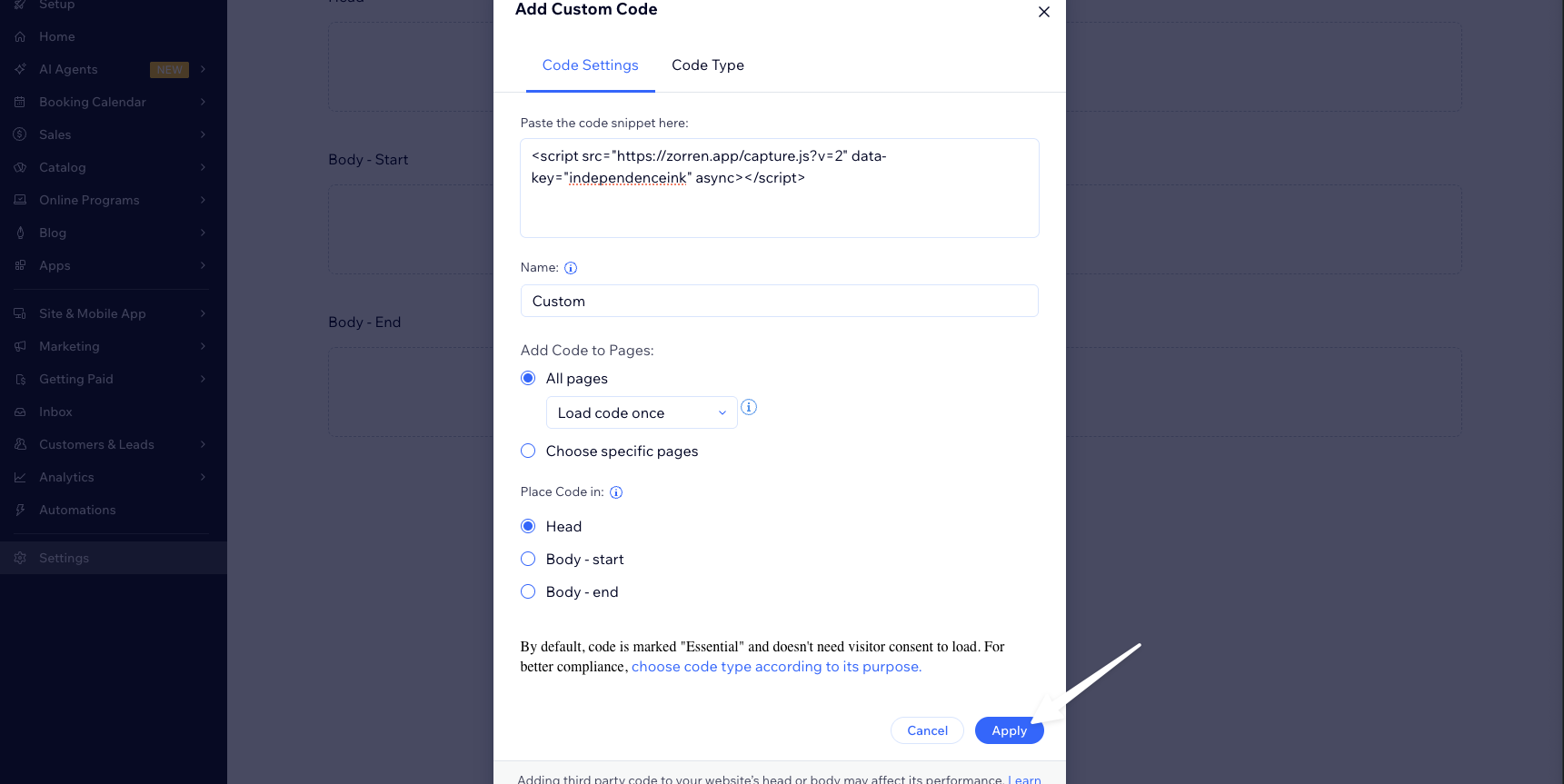
Click Apply to save.
The first submission is how Zorren learns your form. After you save the code, open Settings, then Capture setup, and click Start listening. Submit your form once with your own details, then save the field mapping when Zorren prompts you, so it knows which field is the name, which is the email, and so on. After that, every enquiry maps itself.
Stuck on a step?
Grab your snippet again from your setup page, or email us and we will walk you through it.